 01
01 02
02 03
03 04
04 05
05Sections
Websites for deep tech companies tend to fail in one of two ways. One site has a finished identity and a detailed technology page, and buyers still leave unsure what they can purchase. Another is simplified so far that an investor doing diligence loses the trail of evidence. Both problems usually start in the brief, before any design.
A website brief records choices about the company, its audiences, its evidence and the decision the site has to support. Visual preferences follow from those choices. The twelve decisions below come from how we approach technical sites and from the order of our free Brand Strategy System, which settles strategy before anyone designs. Work through them before you send a scope to a designer, studio or developer.
Part 1. Set the commercial direction
1. What must this website help someone decide?
Write one sentence that names a person and the decision you need from them. “Help a food ingredient manufacturer decide whether to request a technical sample” is one. “Help a Series A investor decide whether the company fits the fund's mandate well enough to take a meeting” is another. A line such as “raise awareness” leaves the designer to guess both. Each main page then gets one job that serves this sentence.
2. Who is the first audience?
Investors, corporate buyers, scientists, project developers and potential hires can all need your information, and each group needs it in a different order. Choose the audience whose action matters most this year and give that audience the first screen. Then name the secondary audiences and give each one its own way in.
3. What can that person do or buy today?
Separate the product, the platform, the pilot, the R&D capability and the future opportunity. Then write down which one a new customer buys first. If three people on the team give three different answers, settle the offer before the sitemap, because a new navigation only rearranges the disagreement. Our guide to offer architecture shows how to choose the front door.
4. Why should they act now?
Point to a change the audience already feels, such as new cost pressure, a supply constraint, technical readiness, a regulatory milestone, a measurable advantage or a strategic deadline. Write it in the buyer's terms, as something already happening in their year. Our piece on the why-now case covers how to build it from observable change.
Part 2. Make the evidence findable
5. Which three claims must the website establish?
Choose three. They might cover product performance, maturity and the ability to deliver. For each claim, write four lines covering the claim, the evidence, the boundary and the implication. Together they say what you hold to be true, what supports it, where that proof stops and why it matters to this reader.
Our website design work uses the same four lines. Our list of ten website claims that need evidence beside them covers the words that most often need a boundary, from “proven” to “at scale”.
6. Which claims are still being tested?
A laboratory result, an operational demonstration and a commercial deployment sit at three different stages. Label each claim and each product at the stage it has reached, such as available now, demonstrated or on the roadmap. Readers who check evidence give the boundary as much weight as the headline. Our information architecture guide shows where those labels sit on the page.
7. What must appear immediately, and what can sit one click deeper?
Build two depths. The decision layer holds the company definition, product, audience, problem, main proof and next action. The evidence layer holds the mechanism, methods, sources, test conditions, limitations and deployment details. Mark each item in the brief with its layer. A visitor then understands the business from the first screen and can still reach the science.
8. What existing material can be reused?
List technical papers, validation reports, sales decks, use cases, customer interviews, photographs, diagrams and founder talks. Give each item an owner and a verification status, and note what is missing. Technical content often sets the layout, so this inventory belongs in the brief before anyone draws a wireframe.
Part 3. Plan the routes and the size of the job
9. What are the main paths through the site?
Sketch a route for each audience before anyone writes a sitemap, and check where each one ends.
Three routes, three endings
Buyer
- 01Homepage
- 02Application
- 03Deployment
- 04Proof
- 05Sample request
Investor
- 01Homepage
- 02Market opportunity
- 03Traction
- 04Team
- 05Meeting
Technical reviewer
- 01Technology
- 02Methods
- 03Publications
- 04Source data
When every route ends at the same contact form, the site asks three audiences for one next step. Each ending should match what that reader is ready to do.
10. What should the visitor do next?
Match the next step to the reader's readiness. That could mean requesting a sample, sending a technical question, downloading an evidence pack, booking a working session or starting a supplier assessment. Then measure the action the business counts as a result, such as a qualified commercial enquiry, and keep newsletter sign-ups in a separate column.
11. Who will maintain the proof?
Name the person authorised to update scientific claims, product status, figures, project pages and case studies, and the technical reviewer who signs off each claim. Set a review date for every claim likely to change. A site loses credibility every quarter its claims go unchecked, so plan the CMS around the people who will update it after launch. If an AI assistant will help them, our guide to a website your team can update with AI sets out what the site needs.
12. What would make you choose a smaller project?
If the customer is still uncertain, a forty-page site fixes an untested strategy in place. A single landing page, a clearer offer architecture or an evidence audit may be enough for now. If the company has moved markets or changed its offer, the work starts with positioning and brand, and the web screens follow.
Three projects, three kinds of website job
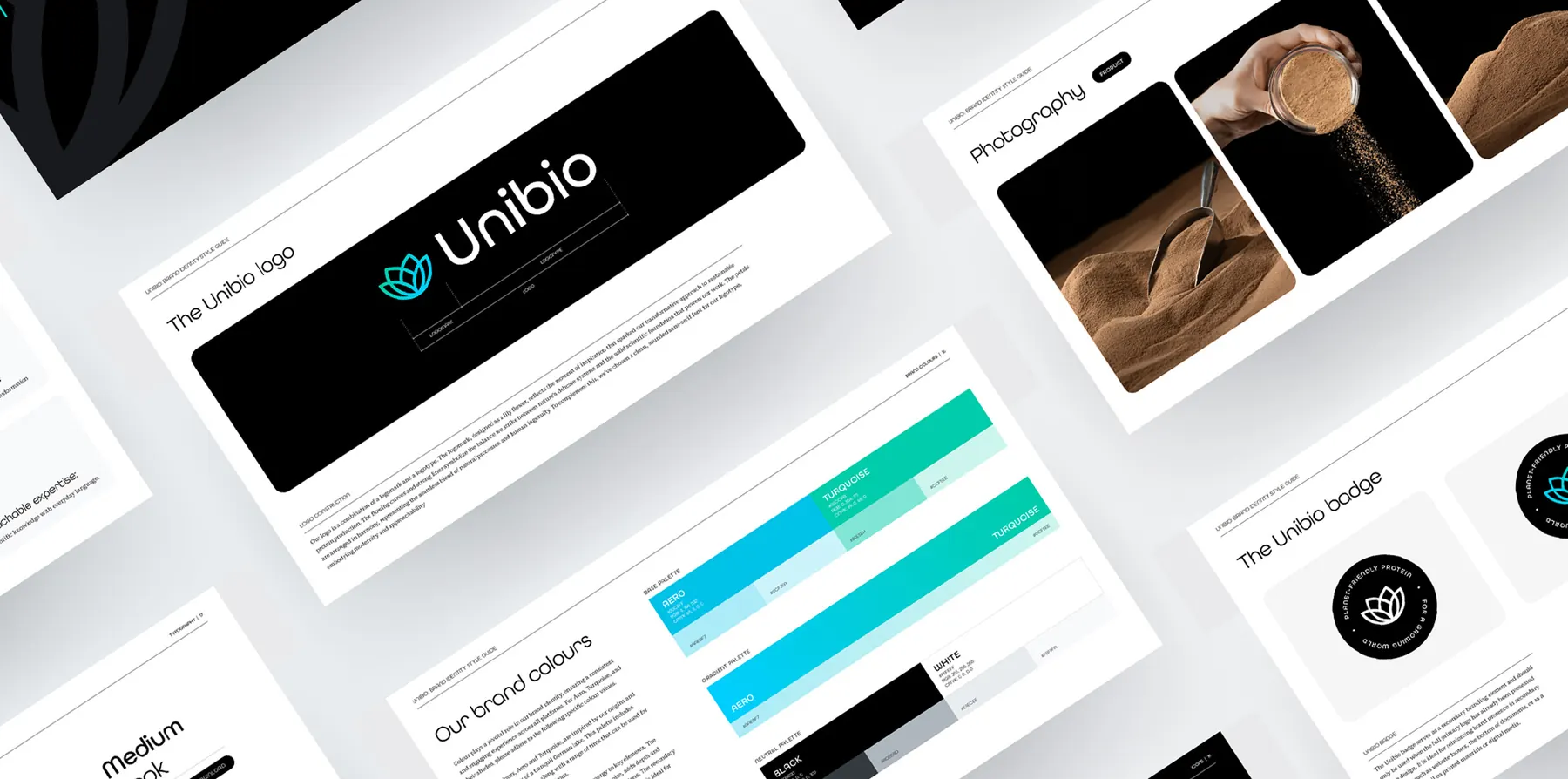
Unibio makes protein through gas fermentation. Its story led with the technology and reached scientists, while investors needed the scale of the opportunity and feed producers needed to see the product in practice. We put the protein product at the front of every message, made gas fermentation the evidence behind it and wrote the website around education, partnerships and investment. The work turned on decisions 2, 3 and 7, and the job was a repositioning. Read the Unibio case.
Fair Carbon works in blue carbon. Its platform already had routes for project leaders, investors, validators and accreditation bodies, and visitors struggled to see where they belonged. Research and workshops with the team set out who to reach and what each group needed, and we rebuilt the routes through the site around those needs. Here the work turned on decisions 2 and 9, and the job was a reorganisation of information. Read the Fair Carbon case.
Gaia AI gives foresters a backpack and an app that turn a normal cruise into inventory data. Its old site described the tool in general terms. A two-hour design review with the team settled six choices, including speaking to customers first and keeping the identity, so the change sat in the words and the structure. We wrote and designed one landing page that opens on the forest manager's job and ends on two routes in, a demo video and a direct line to the team. The work turned on decisions 1, 10 and 12, and the job was one focused page. See the Gaia AI case.
A website project can be a repositioning, a reorganisation of information or one focused page. The twelve decisions show which one you are commissioning before anyone agrees a fee.
The brief, ready to fill in
Paste this into a document and fill in each line. The lines follow the twelve decisions in order.
The decision: We need [specific audience] to decide [specific next action].
The priority visitor: They are [role], and today they [what they do now].
What we sell first: [product, service or bounded first commitment].
Why now: [the change in their world, in their own terms].
Our three decisive claims: [claim], [claim], [claim].
Proof and boundaries: [the source for each claim, its stage and where the proof stops].
First screen and one click deeper: [what the decision layer shows] and [what the evidence layer holds].
Reuse and gaps: [approved case studies, diagrams, interviews and technical records, each with an owner] and [missing explanations, illustrations or evidence].
Main routes: [buyer route and its ending], [investor route and its ending], [technical reviewer route and its ending].
Conversion events: [qualified action], [secondary useful action].
Sign-off and maintenance: [commercial owner], [technical claim reviewer], [CMS owner, review dates and approval routine].
Size of the job: [full site, focused landing page, offer work or evidence audit, and why].
If the first six lines are hard to fill, the open question is strategy. Work through the free Brand Strategy System before you commission design. Its seventeen decisions run from what you sell to who it is for, and one of the seven briefs it builds covers the homepage.
When the six lines hold and you need the site built, our website work for science and climate companies scopes the structure, words, design and build from a brief like this one.
Sources and further reading
- Unibio case study, Brighter Future
- Fair Carbon case study, Brighter Future
- Gaia AI case study, Brighter Future
- Why your website feels confusing, Brighter Future
- Offer architecture for startups, Brighter Future
- Ten climate-tech website claims that need evidence beside them, Brighter Future
- Website design for science and climate tech companies, Brighter Future
- The Brand Strategy System, Brighter Future
Tell us what needs to move.
Bring the brief if it is clear. If it is unclear, tell us where the work is stuck.
Bring us the problem